
Augmented Reality Visual Inspection
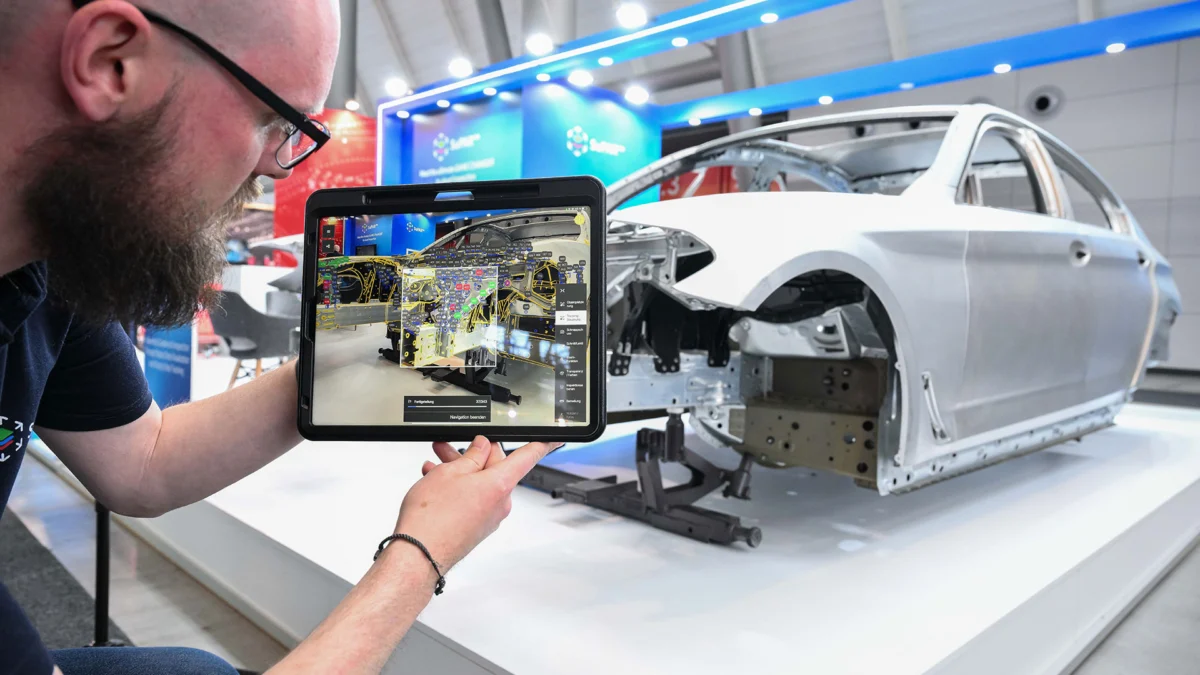
SuPAR overlays 3D CAD data onto physical products in real time, enabling instant verification during assembly and quality inspection. Proven 6x faster than traditional drawing-based visual inspection methods.
How It Works
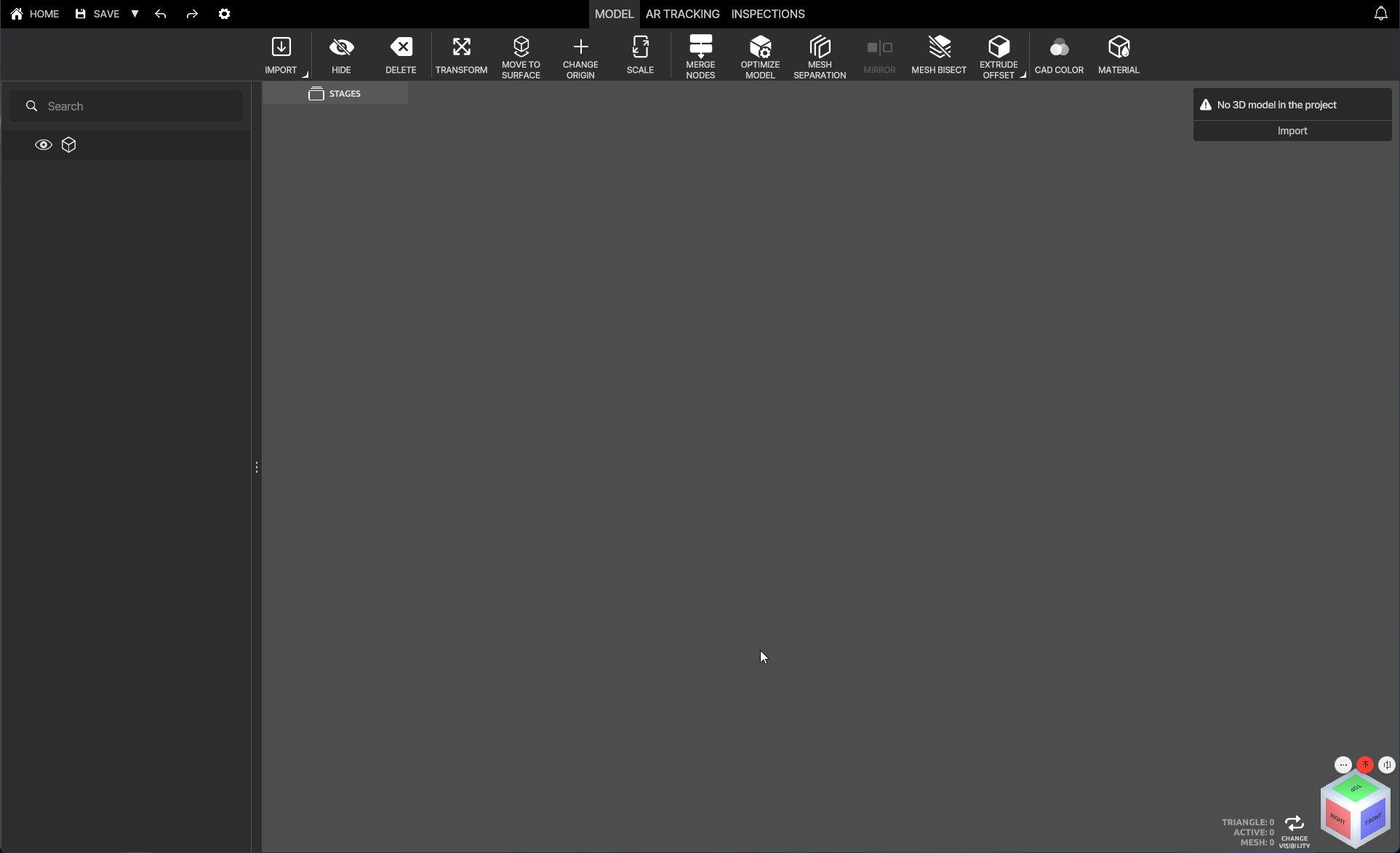
From CAD file to inspection report in four simple steps.
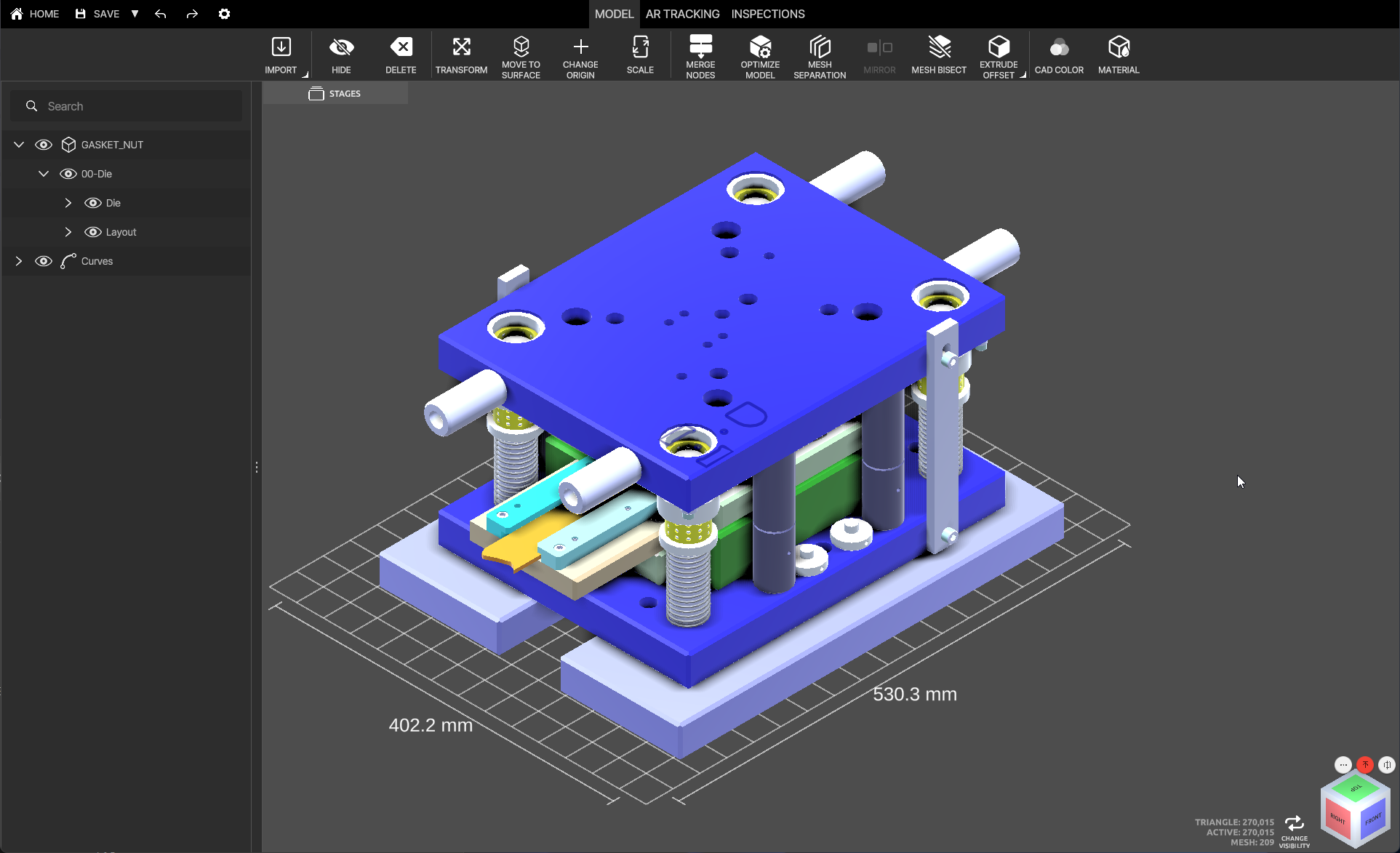
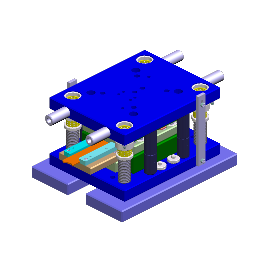 GASKET.step
GASKET.step
GASKET.step
SuPAR at a Glance
Key facts about the augmented reality inspection platform built for manufacturing.
AR Dynamic & Real-Time Tracking
SuPAR enables instant visual inspection of physical objects by superimposing CAD models onto real-time camera imagery. Strong dynamic tracking provides perfect nonstop visualization even in limited environments, making quality inspection more efficient and reliable.
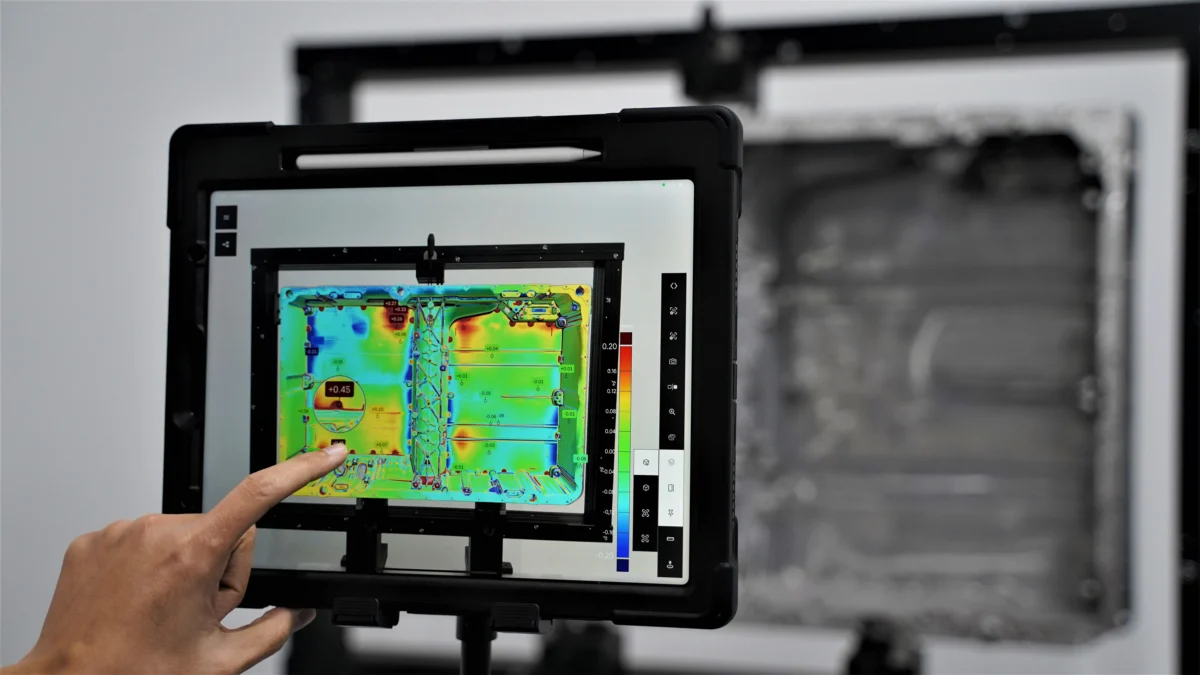
Color Map Visualization
AR color map projection utilizing scanning data for precise visual inspections. Create deviation labels with a fully customizable color scale, plus advanced Gap & Flush analysis visualization for the highest quality standards.
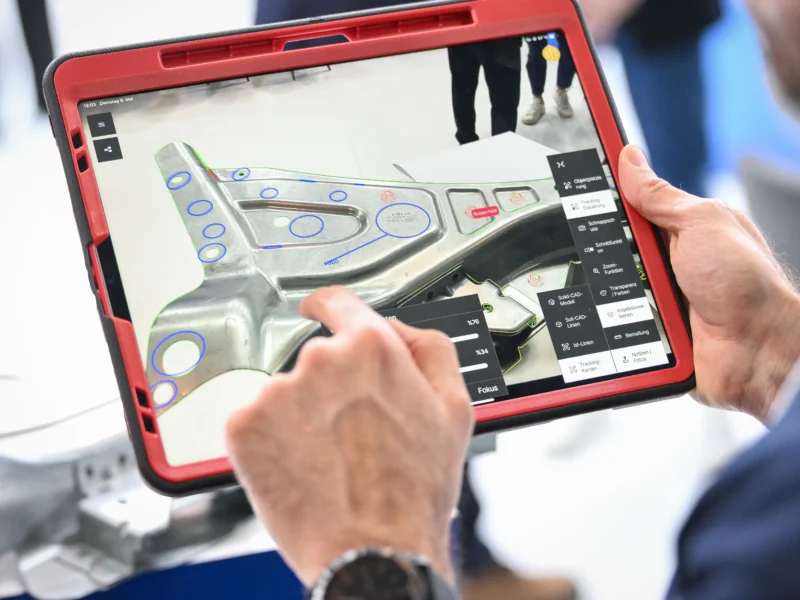
AR Interactive Visual Inspection
Inspectors use the iPad to visualize virtual instructions, checkpoints, or models directly on physical parts. Identify production errors such as missing elements and position errors instantly on the shop floor.
- Geometry control on physical parts
- Guided checkpoint navigation
- Missing and extra parts detection
- Rough position error identification
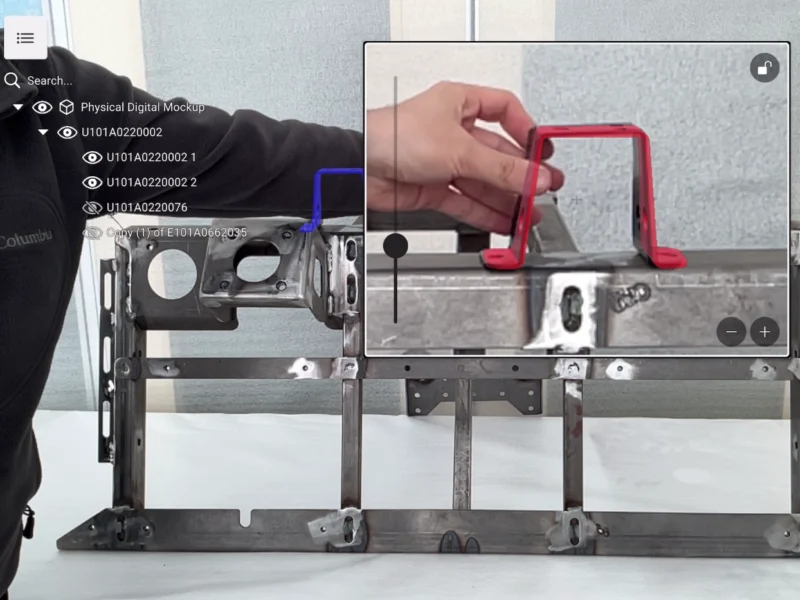
AR Physical-Digital Mock-Up & Stages
Control the visibility of CAD model parts at different assembly steps. Helps inspectors focus on the next component to be assembled, ensuring assembly correctness and saving time.
- AR Physical-Digital mock-up for fixture assembly
- Build and check fixtures without paper manuals
- Virtual element visualization for component positioning
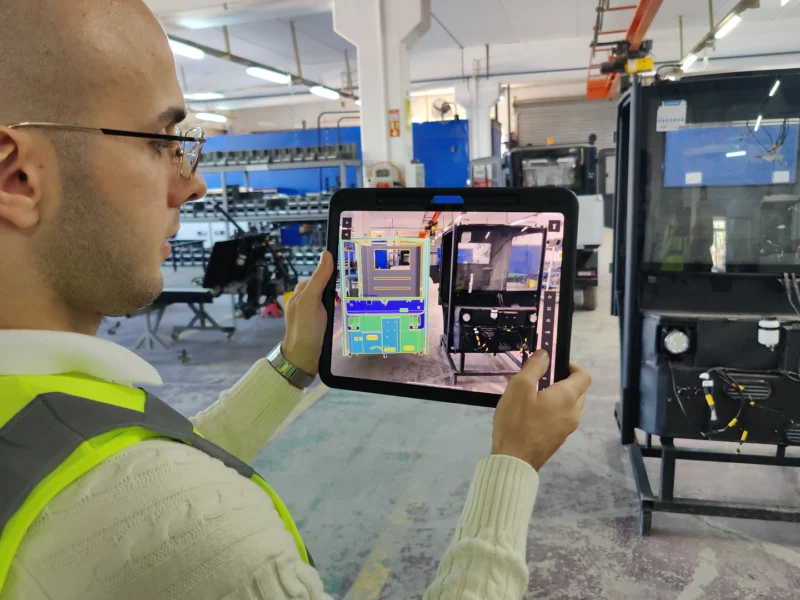
Digital Twin Inspection Review & Free Placement
Place the digital twin freely within the real environment. Review it directly on the physical component, enriched with annotations and inspection templates created on the real object.
- Digital twin free placement in real environment
- Review with annotations and information overlay
- Inspection templates created on real components
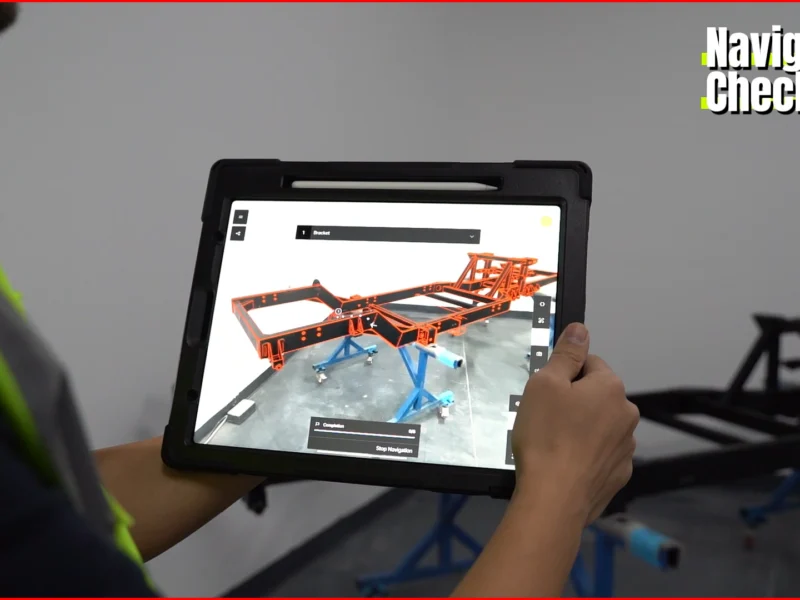
Digital Communication: PMI Import & Inspection Templates
Bring design intelligence into quality processes by visualizing PMI and CAD data in real time. Guided inspection templates lead operators through key checkpoints with clarity and consistency.
- PMI and CAD data visualization in real time
- Guided inspection templates with checkpoints
- Multiple inspection flows per project
- One-click digital reporting (PDF/Excel/Word)
The SuPAR Suite
Purpose-built tools for every stage of your AR inspection workflow.
Core Capabilities
Powerful augmented reality features that accelerate every stage of your quality control process.
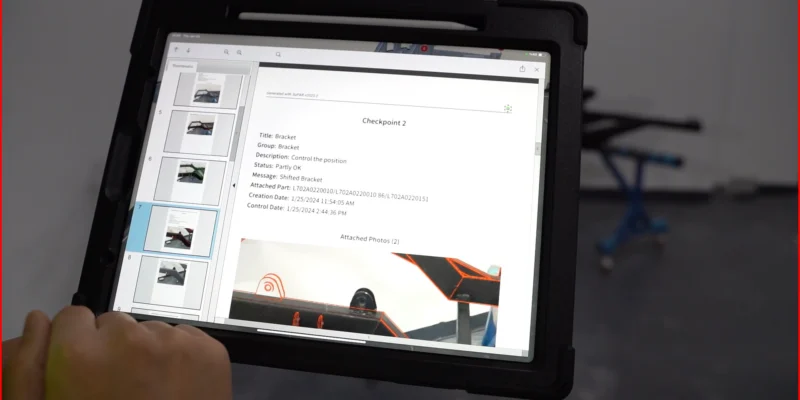
Automated Digital Reporting
One-click generation of professional digital reports including photos, 3D visuals, and annotations — exportable in PDF, Excel, or Word formats.
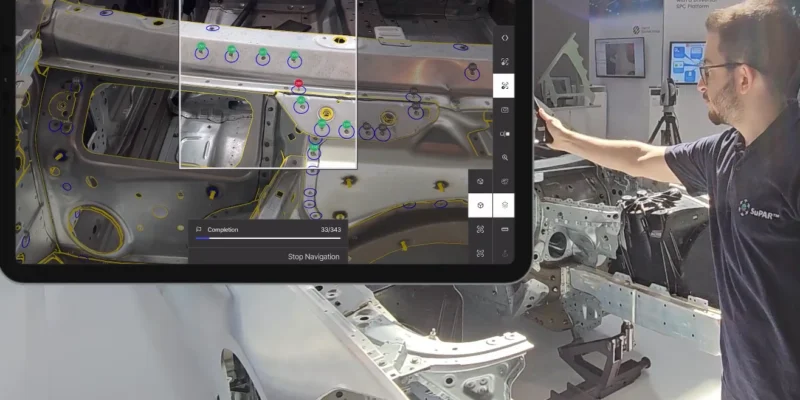
AI Multitarget Automatic Detection
AI-powered automatic detection for sheet metal inspection. Effortless verification with instant capture of welding spots, holes, slots, and studs.
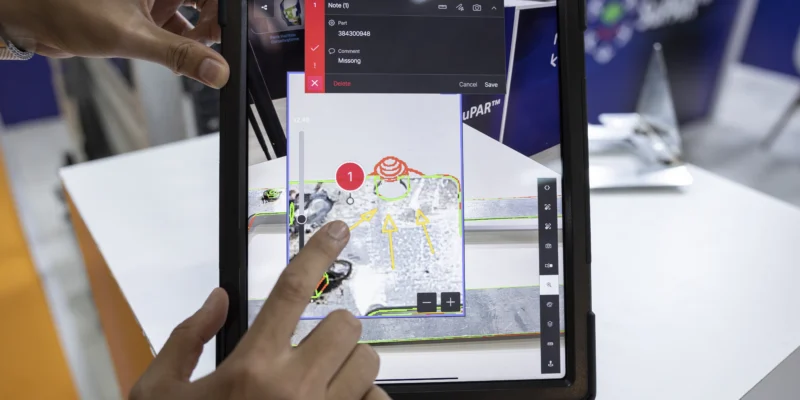
Assisted Inspection & Edge Comparison
Compare CAD edges with real object edges in real time. Matches are highlighted in green, mismatches in red — providing instant visual feedback for geometry verification.
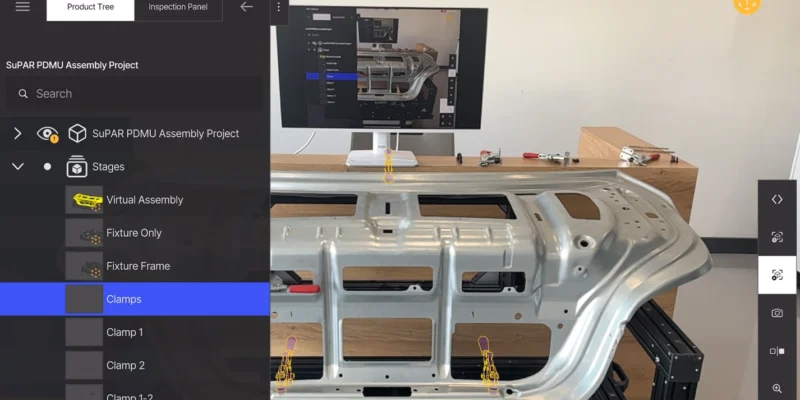
Partial Tracking & Step-by-Step Guidance
Control visibility of CAD model parts at different assembly stages. Each step displays and tracks only the relevant components, providing clear guidance for inspectors through complex multi-stage processes.
Industries We Serve
Augmented reality inspection tailored for your manufacturing sector.
Automotive
AR-powered quality control from stamping to final assembly
Learn moreTransportation
Precision inspection for buses, trucks, trailers, and rail vehicles
Learn moreAerospace & Defence
Meeting aerospace and defense quality standards with AR inspection
Learn moreHeavy Industry
Paperless inspection for welded structures and heavy components
Learn moreInjection Molding
Mold verification and plastic part quality with AR overlay
Learn moreTrusted by Industry Leaders
World-class manufacturers rely on our technology for quality inspection.
Frequently Asked Questions
Everything you need to know about SuPAR augmented reality inspection.
What hardware do I need to use SuPAR?
SuPAR App runs on iPad Pro with LiDAR sensor. SuPAR Composer runs on any Windows PC for project preparation. SuPAR Web Viewer works in any modern web browser with no installation required.
How long does it take to set up an inspection?
SuPAR can be deployed in under 30 minutes. Once a project is prepared in Composer, inspectors simply load it on the iPad and begin inspecting — no complex calibration or setup procedures required.
What industries is SuPAR designed for?
SuPAR is used across automotive, transportation, aerospace and defense, heavy industry, injection molding, and machinery manufacturing. Any industry that requires visual inspection of physical parts against CAD data can benefit from SuPAR.
What report formats does SuPAR generate?
SuPAR generates professional digital reports in PDF, Excel, Word, and 3D formats. Reports include photos, 3D visuals, annotations, and inspection results — generated with one click directly after inspection.
Which CAD file formats does SuPAR support?
SuPAR supports CATIA, JT, CGR, and OBJ file formats. CAD data is imported through SuPAR Composer, which automatically generates tracking geometry for AR alignment during inspections.
Does the iPad need an internet connection during inspection?
No. SuPAR works fully offline during inspection. Projects are synced to the iPad beforehand. Reports and data can be uploaded when connectivity is available.
How does SuPAR compare to traditional 2D drawing inspection?
SuPAR reduces inspection time by up to 75% compared to traditional paper-based or 2D drawing methods. It eliminates manual cross-referencing, provides guided checkpoints, and generates digital reports automatically.
Can I request a live demo of SuPAR?
Yes. Contact us through the Request Demo form or email info@cdmvision.com to schedule a personalized demonstration. We can show SuPAR working with your specific parts and use cases.
What is Augmented Reality Inspection?
Augmented Reality Visual Inspection for Manufacturing
SuPAR is an augmented reality-based interactive visual inspection technology developed for manufacturing environments. By overlaying 3D CAD data onto physical products in real time, SuPAR enables instant verification during assembly and quality inspection processes.
Assembly deviations, missing components, and quality issues can be detected quickly and accurately by operators and quality teams on the shop floor. With its fast setup, tablet-based mobility, remote access, and digital reporting capabilities, SuPAR strengthens operational control and accelerates decision-making.
Designed in line with Industry 4.0 and smart manufacturing principles, SuPAR digitizes quality processes across automotive, transportation, aerospace and defense, heavy industry, injection molding, and many other application areas, reducing rework costs and shortening inspection times.
SuPAR is a proprietary product developed by CDMVision and CDMTech GmbH.